A BoxBrownie alternative.
AI virtual staging, ready in about two minutes.
BoxBrownie's editors stage a photo for $24 and deliver within 48 hours. AI Staging Photos stages it with AI from $0.62 per design, usually in under two minutes, and you check the result yourself. Start with 2 free designs.
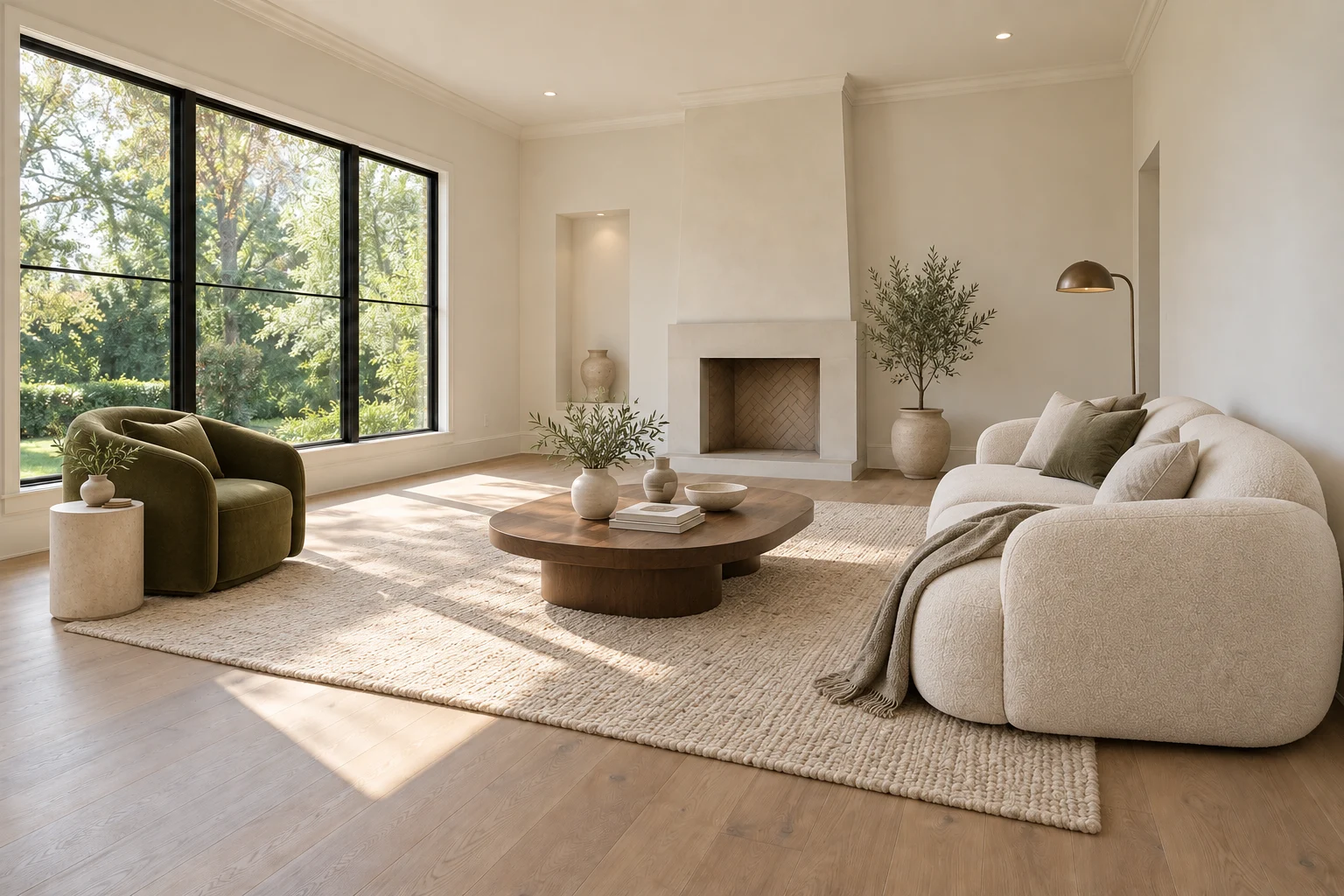
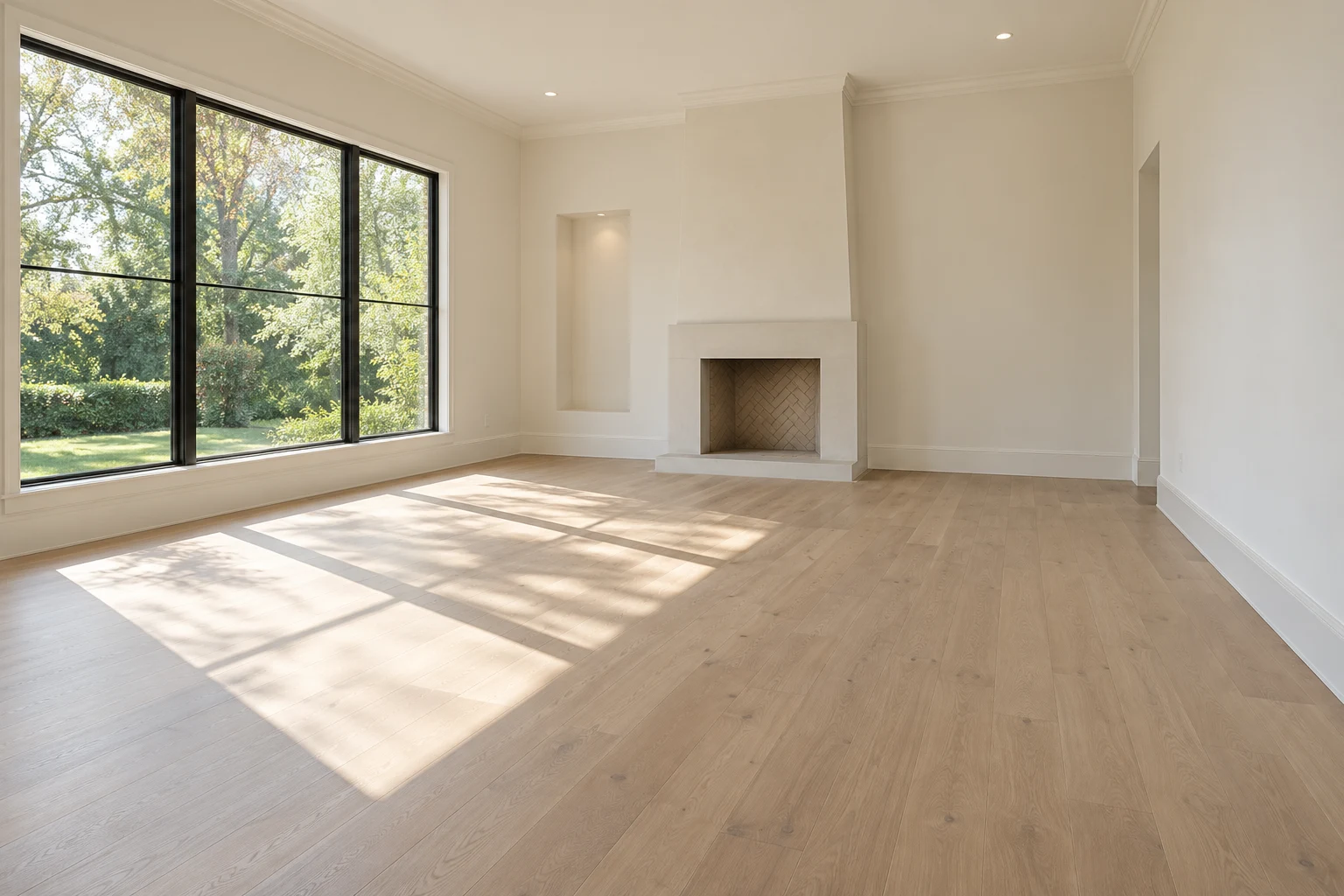 BeforeAfter
What BoxBrownie offers
BoxBrownie is a photo editing service for real estate. Its virtual staging is done by human editors, who place 3D furniture into your photo. Its US site lists virtual staging at $24 per image, or $48 for a 360° image, with delivery within 48 hours. Larger orders can take longer.
You pay per image with no subscription, and changes are free if you ask within two months of the order. The staging page lists nine styles, including Farmhouse, Hamptons and Mid-Century Modern. A free BoxBrownie account includes three image enhancements and one day-to-dusk edit, but no free staging.
How AI Staging Photos is different
Here AI places the furniture. Upload an empty room, pick one of the eight styles and Stage mode adds furniture, with instructions to leave walls, windows and floors as they are. In our recorded tests a design took between 87 and 105 seconds.
Each design uses 1 credit, which works out at $0.62 to $0.69 depending on the pack. There are no free revisions: a new style or a furniture edit is another credit. Because the AI can get details wrong, you review every result against the original before you use it. In our bedroom test, for example, the closet edge shifted and needed fixing.
What a 10-photo listing costs
Say you stage 10 empty rooms and try two styles for each. That is 20 designs, so the Starter pack (29 credits for $19.90) covers it with 9 credits left over. At BoxBrownie's listed price, 10 staged images cost $240 before any extras, with free changes included.
With an editing service, a designer does the placement and handles changes. With AI, you get results within minutes and decide yourself which ones are accurate enough for the listing.
BoxBrownie vs AI Staging Photos
Checked against BoxBrownie’s public website. Prices and policies can change after that date. All prices are in US dollars. This compares the services, not image quality on the same photo.
| Feature | AI Staging Photos | BoxBrownie |
|---|---|---|
| Who stages the photo | AI, from your photo. You review the result. | Human editors |
| Price per staged image | $0.62 to $0.69 per design, depending on the pack | $24 ($48 for a 360° image) |
| Turnaround | 87 to 105 seconds in our recorded tests | Within 48 hours for small orders; larger orders can take longer |
| Billing | One-time packs from $19.90. No subscription, and credits never expire. | Pay per image, no subscription. Account top-ups start at $10. |
| Free to try | 2 free designs on your own photos, as watermarked previews | Free account includes 3 image enhancements and 1 day-to-dusk edit, not staging |
| Changes | Each new design or furniture edit uses 1 credit | Free if requested within 2 months of the order |
| Styles | 8: Modern, Scandinavian, Coastal, Luxury, Contemporary, Minimalist, Traditional, Industrial | 9 listed: Modern, Contemporary, Farmhouse, Traditional, Urban/Industrial, Mid-Century Modern, Hamptons, Commercial, Scandinavian |
| Disclosure | Property ZIP includes the original photos and a disclosure text file | Advises disclosing virtual staging; optional disclaimer text when ordering |
Try it on your own photo
Your first 2 designs are free watermarked previews, with no credit card. Use them to check how Stage handles your room before you buy credits. The virtual staging cost calculator works out which pack fits a full listing, and the virtual staging case studies show first results on real photos, including what needed fixing.
Comparing other tools? See the RoomGPT alternative page. Before you publish, read the virtual staging disclosure guide.
AI Staging Photos is an independent product and is not affiliated with BoxBrownie. BoxBrownie details come from its public website and may have changed since the date above. AI designs are visual previews; check room accuracy before using one in a listing.
Find the right approach for your room.
Free AI room design
Upload your room photo, choose a style and start with two free designs.
AI living room design
Seating, focal points and clear routes through the room.
AI bedroom design
Bed placement, storage access and a calmer furniture palette.
Keep every room together.
Organize original photos, compare versions, and choose your final images in one property workspace.