Virtual staging, tested.
See the image. Check the room.
See real staging results, a targeted sofa edit and eight separate furniture layers. Each test includes images, measured time and specific review notes. These are documented product tests, not customer testimonials or a promise that every result is listing-ready.
Five tests, and what we learned
The three staging runs added furniture, but each still needed a placement or architecture check. The targeted edit changed the sofa upholstery; layer separation returned eight movable objects and a reconstructed background. Select a test to inspect the images and review notes.
| Test | What to review |
|---|---|
| Bedroom · Scandinavian | The closet edge and doorway junction shift. The result needs correction and a bed-clearance check before listing use. |
| Kitchen · Minimalist | The stools crowd the aisle, and small ceiling-fan details change. An accessories-only revision would suit this narrow room better. |
| Living Room · Coastal | The sofa obscures part of the fireplace. Review furniture placement and architectural edges before approving a listing image. |
| Targeted sofa edit | Sage-green upholstery with a visually consistent setting. Check edge and shadow transitions at full size. |
| Eight furniture layers | Transparent objects with placement data. The reconstructed background is not the original empty-room photo. |
What these examples measure
Tested October 8, 2026 (UTC+8), using the same generation functions and architecture-preservation instructions as the product. Each staging example shows the first completed attempt. Images below are compressed display copies; the recorded output dimensions describe the actual generated files.
Times cover the generation call and result retrieval, not an end-to-end browser session, upload or queue wait. These demonstration calls did not debit a user account. The equivalent in-app generation costs 1 credit. Actual times and results vary with the input and service load.
A compact bedroom, Scandinavian furniture
The result adds a timber bed, bedside furniture, lamps and a rug. Pale textiles keep the small room visually quiet. This is the first generated version, with no regeneration or retouching.
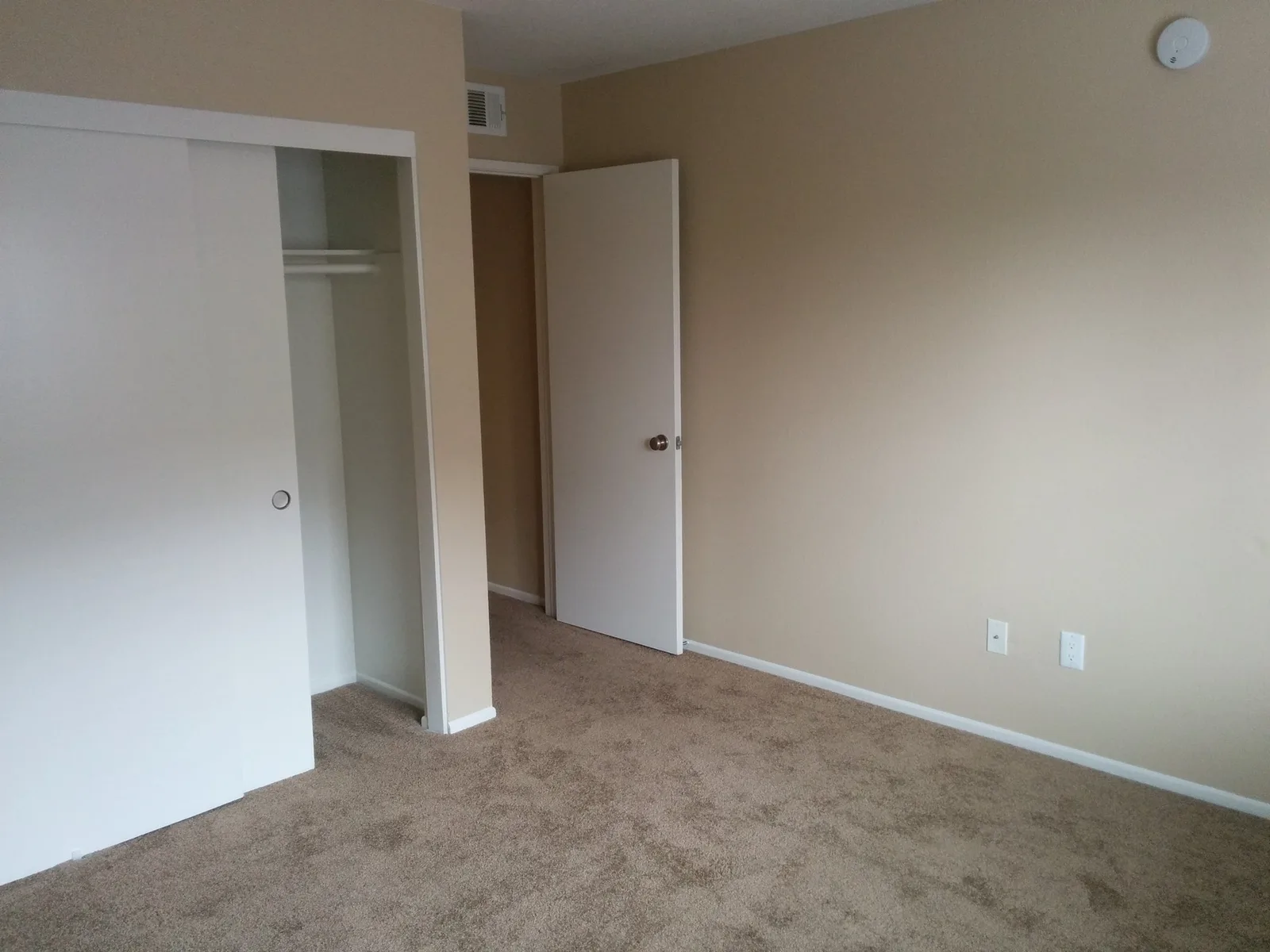
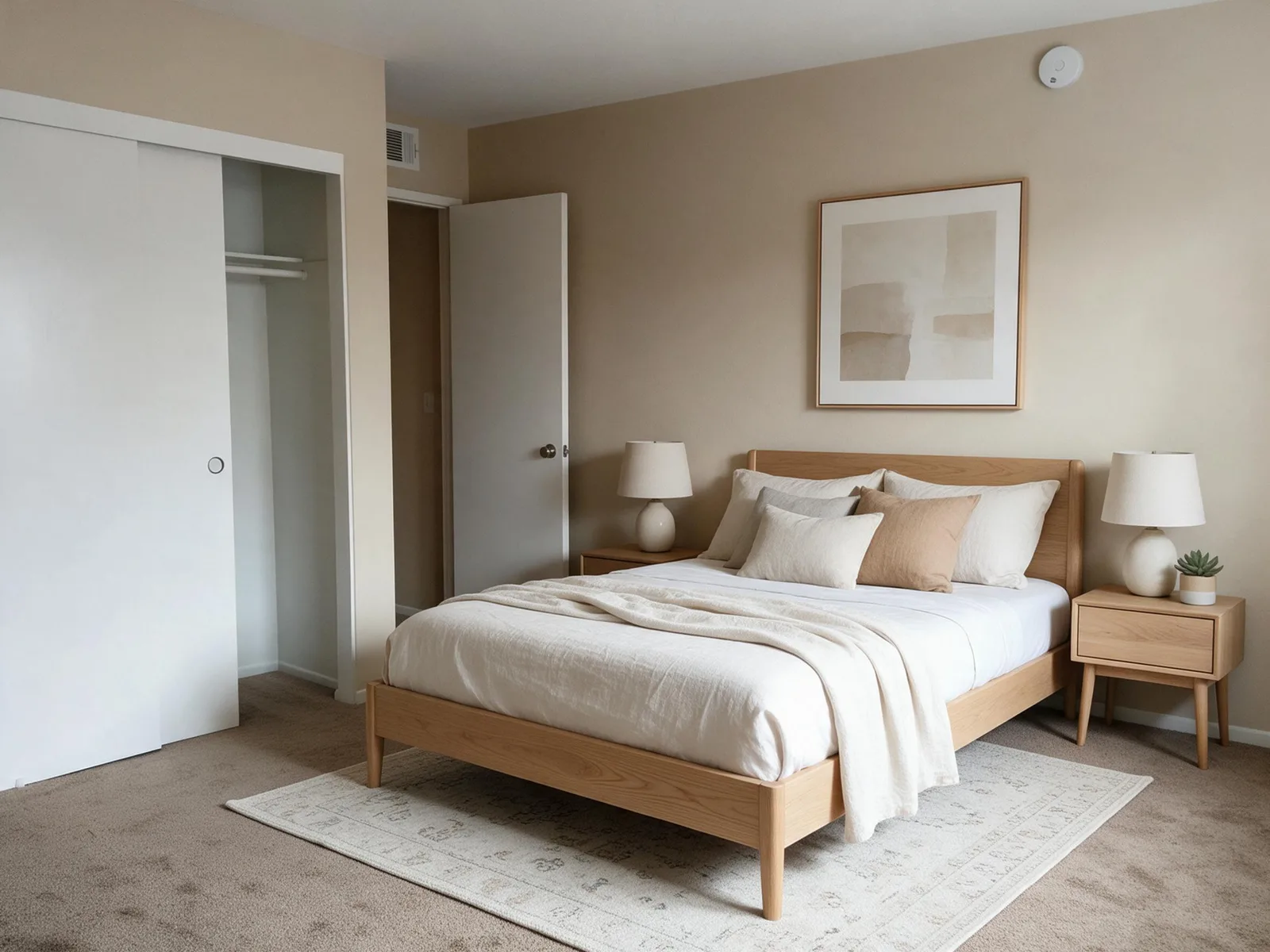
Stage mode · 1 attempt · 105.3 seconds · Input 2000 × 1500 px · Output 2365 × 1774 px · 1 credit in app
Review notes. The closet edge and doorway junction shift relative to the source framing. The bed also needs a clearance check. This result needs correction before it can represent the room faithfully in a listing; attractive furniture alone is not an acceptance test.
Photo: aismallard, Empty room in apartment, Wikimedia Commons. Licensed under CC BY-SA 3.0. AI furniture added; source resized for processing and web display. This modified bedroom image is also licensed under CC BY-SA 3.0. Attribution does not imply endorsement.
Try your own bedroom photo
A narrow kitchen, Minimalist accessories
The input already has fixed cabinets and appliances. Stage mode adds countertop accessories and two stools while keeping the main cabinet arrangement visible. A kitchen needs far less movable furniture than a living room.
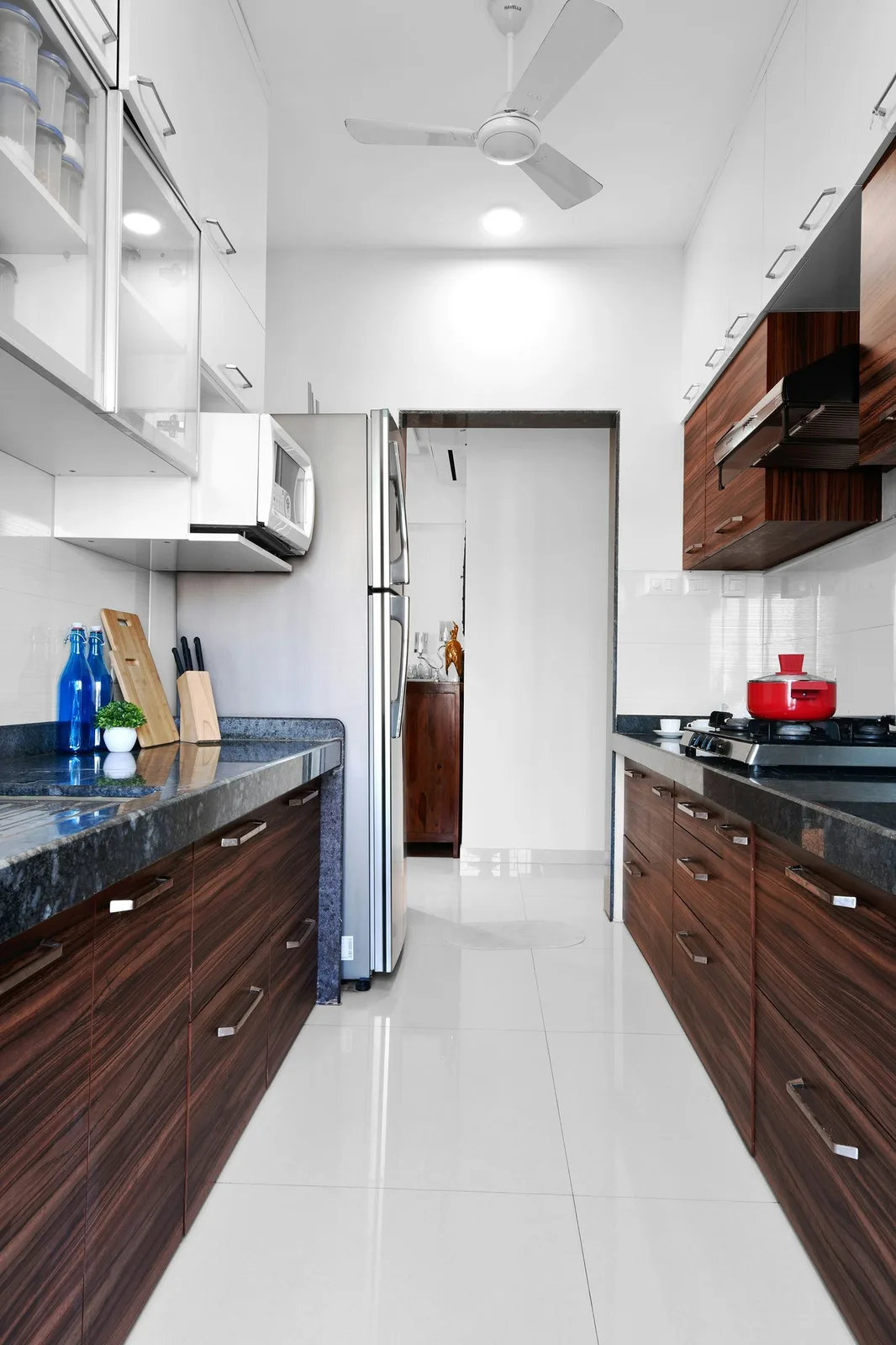
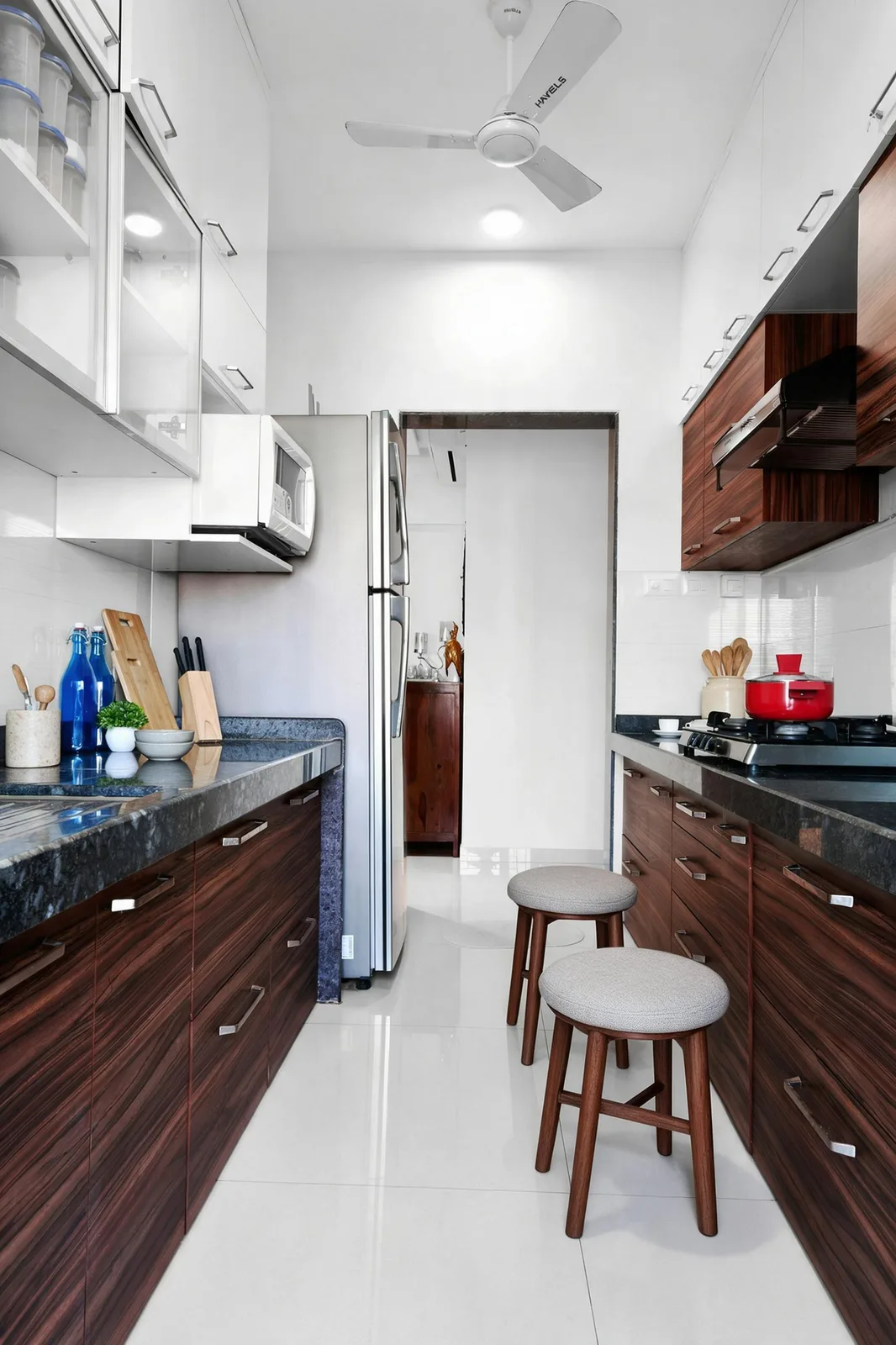
Stage mode · 1 attempt · 87.05 seconds · Input 1333 × 2000 px · Output 1672 × 2509 px · 1 credit in app
Review notes. The stools crowd the central aisle, and small ceiling-fan details change. Keep the circulation route clear and compare fixtures closely. An accessories-only revision would be more appropriate for this narrow room.
Photo: HomeLane .com, Unsplash. Licensed under Unsplash License. AI furniture added; source resized for processing and web display.
Try your own kitchen photoA demonstration living room, Coastal furniture
A light sofa, armchair, timber coffee table, rug and plants establish a seating group. Soft blue cushions provide the Coastal accent. This input is an AI-created demonstration room, not a customer property photograph.
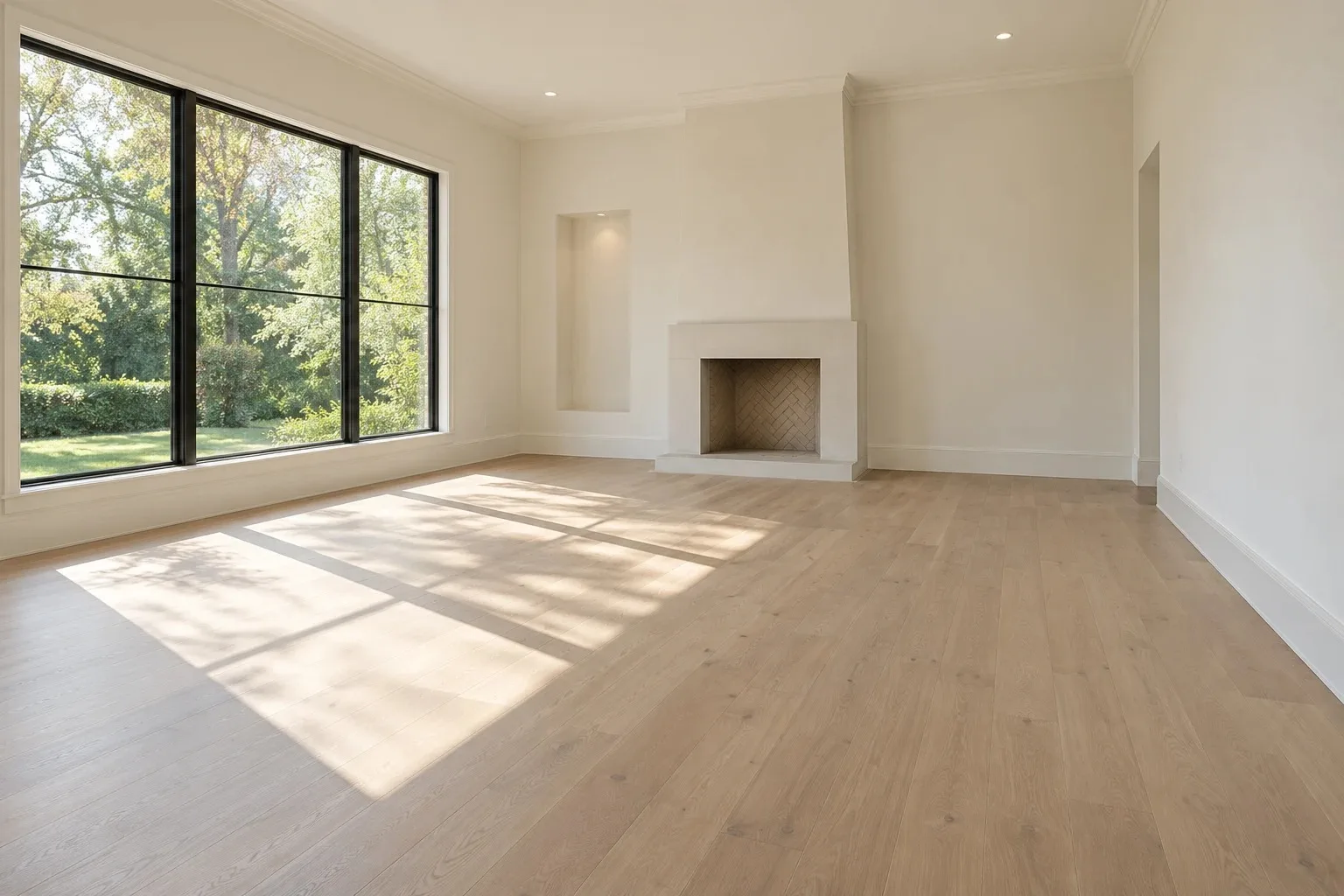
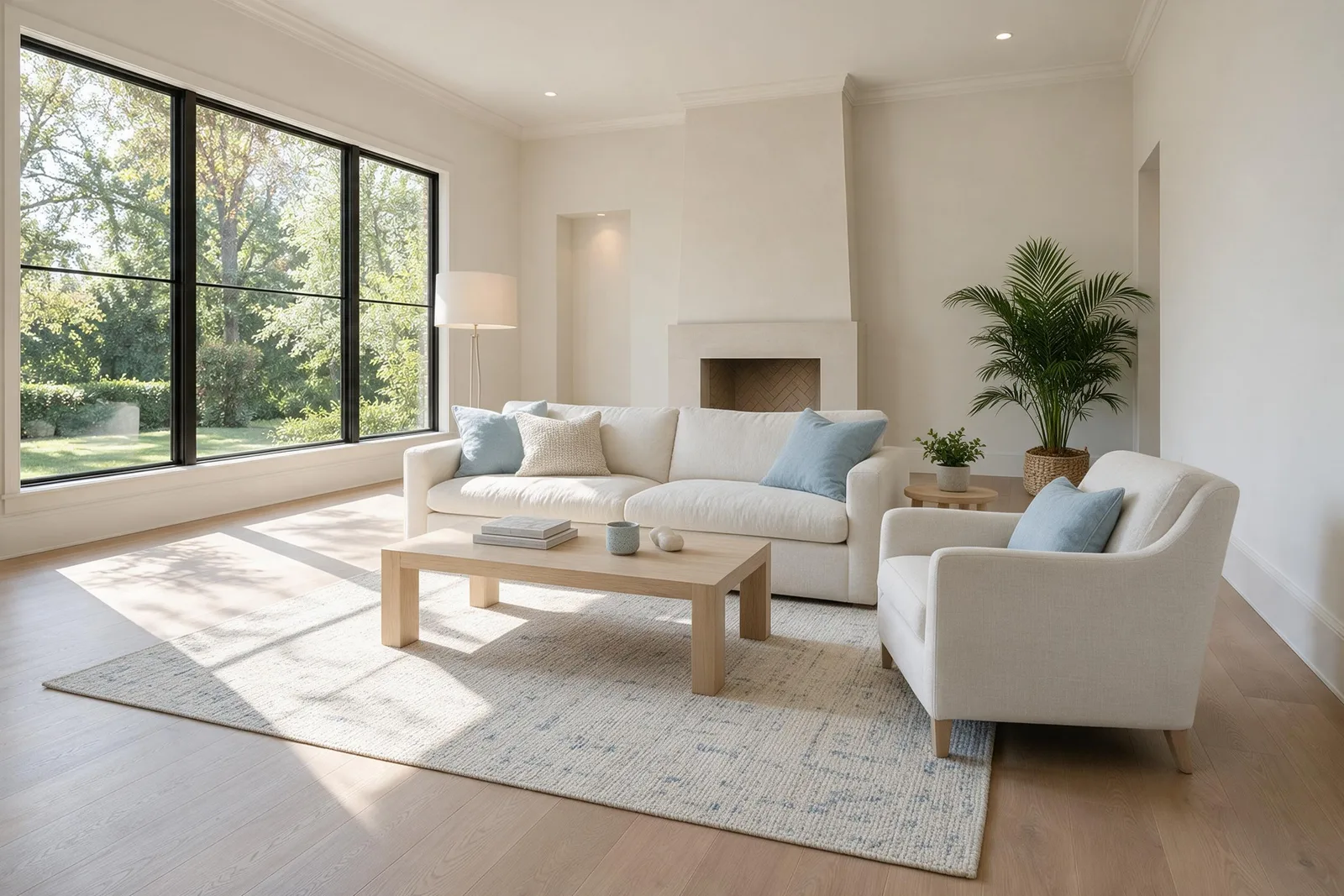
Stage mode · 1 attempt · 93.72 seconds · Input 1536 × 1024 px · Output 2508 × 1672 px · 1 credit in app
Review notes. Window divisions and the main wall arrangement remain recognizable, but the sofa obscures part of the fireplace. Review furniture placement and all visible architectural edges before approving a real listing. A plausible furnishing concept is not proof of exact room preservation.
Source: AI Staging Photos synthetic demonstration room. AI furniture added; source resized for processing and web display.
Try your own living room photoTargeted editing: change the sofa, keep the setting
Starting from the Coastal living-room result above, we selected the sofa and asked: “Change only the sofa upholstery to muted sage green linen.” The request also asked to retain its shape, position, cushions and shadows. The returned edit goes through the same region compositing step as a paid edit in the product.
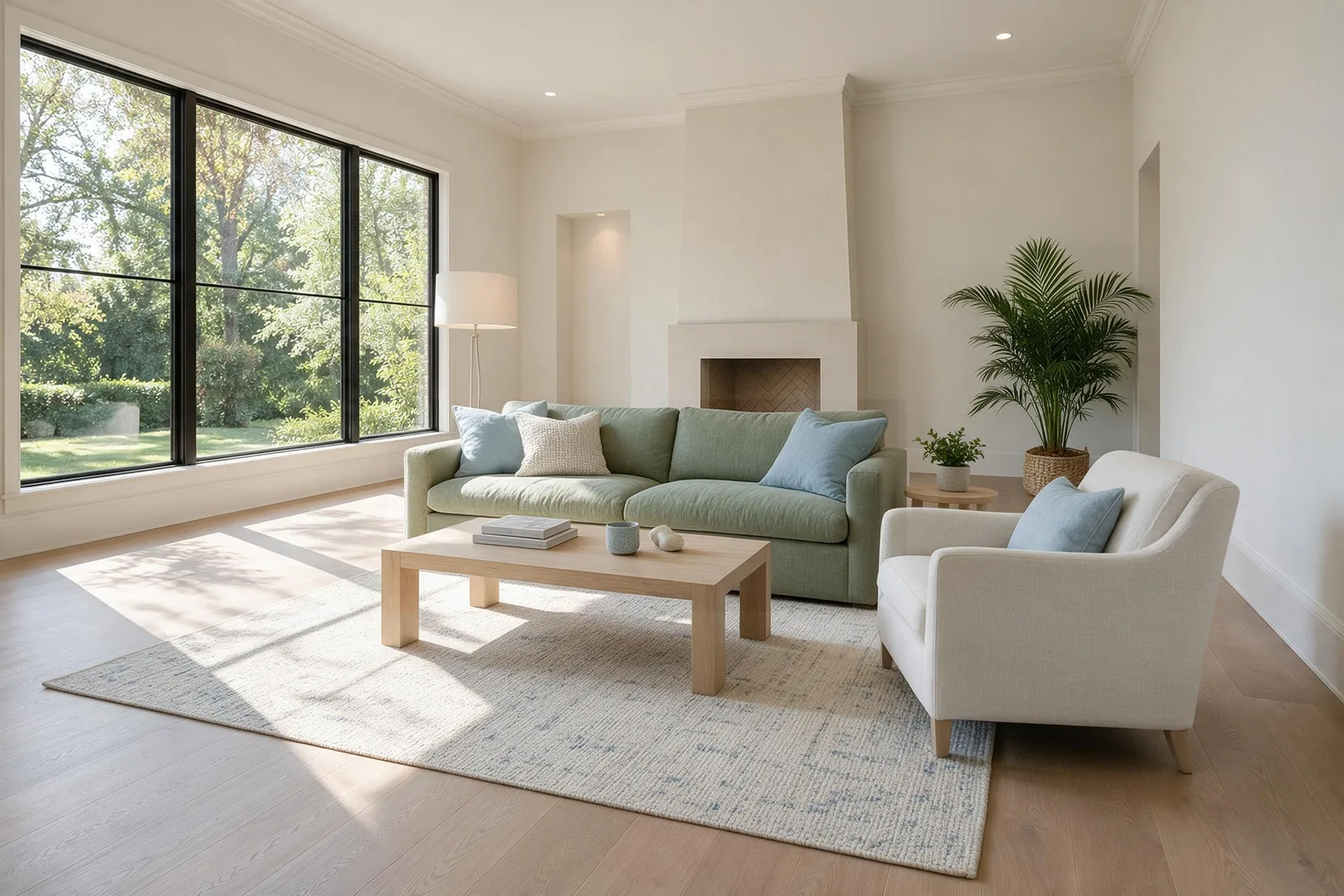
Furniture edit · 1 attempt · 49.63 seconds including region compositing · Output 2508 × 1672 px · 1 paid credit in app
Review notes. The sofa changes to sage green while the armchair, coffee table and surrounding setting remain visually consistent. Check the sofa’s outer edges and shadow transitions at full size. A local edit does not fix unrelated staging issues, such as the sofa’s existing position in front of the fireplace.
Furniture layers: one background, eight objects
We submitted the same unedited Coastal result for layer separation. One call returned a background JPEG and eight transparent PNG layers with placement data. The objects include a rug, two plants, a lamp, sofa, side table, armchair and coffee table. The coffee-table layer keeps its books and accessories together, rather than splitting every small item into a separate file.
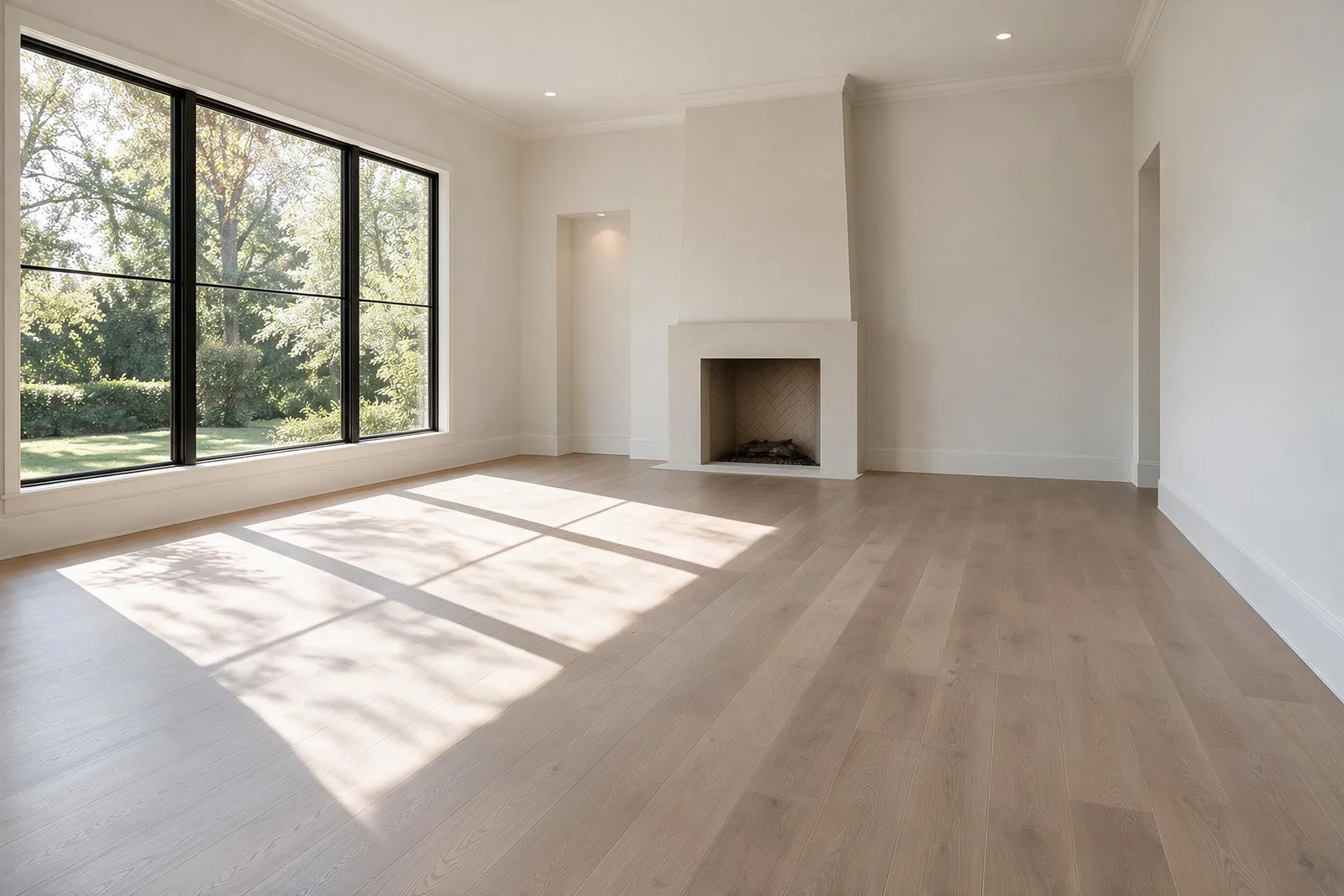
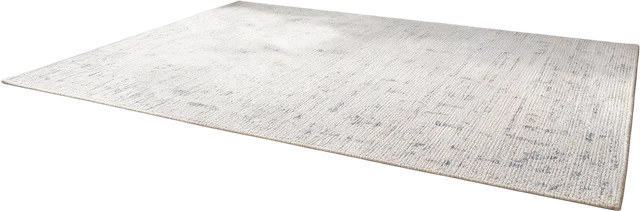




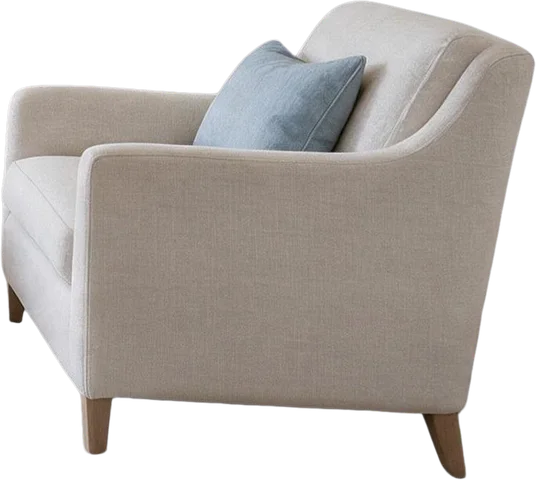

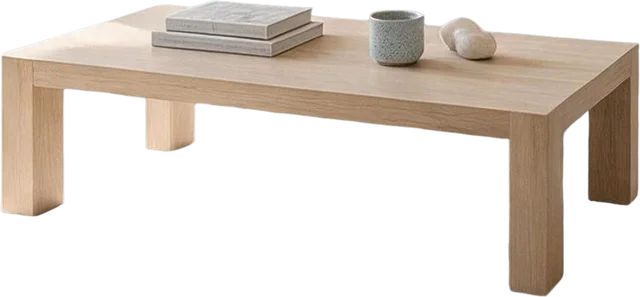
Layer separation · 1 attempt · 59.59 seconds including file retrieval · Background 2508 × 1672 px · 9 paid credits in app
Review notes. The API reconstructs surfaces hidden by furniture; this background is not the original photograph. Check floor patterns, fireplace details, transparent edges and shadows. Layer sizes and placement can vary. Display copies above preserve transparency; the paid workspace exports PNG layers and placement data for further editing.
Furniture editing and layers require a design generated with paid credits. Free results remain watermarked, view-only previews with no layer or HD export. See credit packs.
Review before you deliver
Compare the original and generated image at full size. Check doors, windows, fixed cabinetry, flooring, outdoor views and room framing; then check furniture scale, reflections and circulation. Regenerate or edit an unsuitable result, and retain the original for comparison.
Work through the photo checklist and read our disclosure guide with a current CRMLS rule example before publishing. A property package keeps your originals, eligible paid finals and disclosure together; it does not certify MLS compliance.
Find the right approach for your room.
Free AI room design
Upload your room photo, choose a style and start with two free designs.
AI living room design
Seating, focal points and clear routes through the room.
AI bedroom design
Bed placement, storage access and a calmer furniture palette.
Keep every room together.
Organize original photos, compare versions, and choose your final images in one property workspace.